GroupsSecond location and beyond

Open your next location on the same system

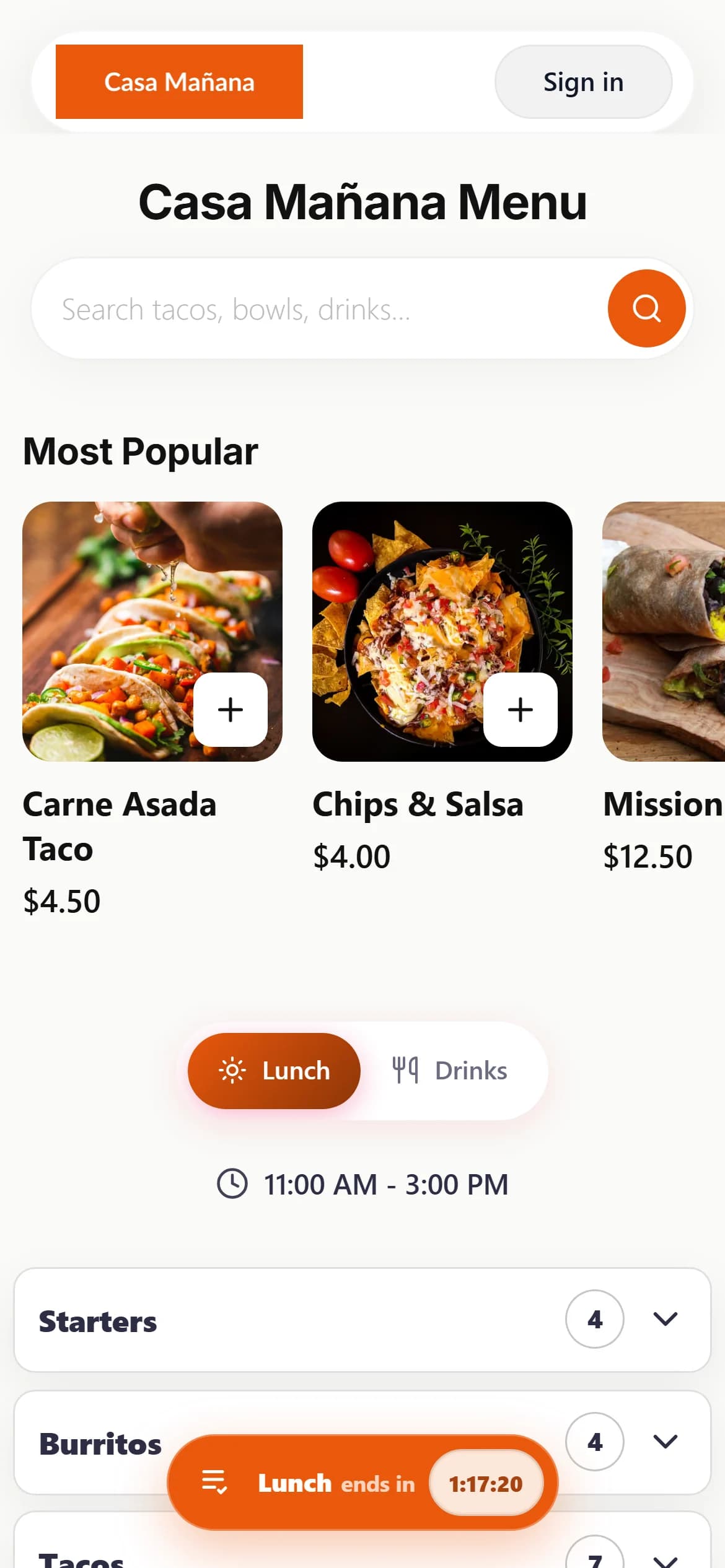
Each new location gets its own ordering site, web address, menu, register and kitchen screen, with the same look as your first. Your team learns one system, and every manager gets a login with only the pages they need.

  • We set it up with you
  • Its own web address
  • No % commission

From lease to opening night

A second location should not mean a second set of systems to learn. Here is how it goes on the platform.

  1. Lease signed

    Set up the new store

    Tell us about the new location and we set it up. It gets its own ordering site and web address.

  2. Opening week

    Make it look like you

    Pick the same theme, colors and logo, add the menu and connect Stripe for that location.

  3. Training

    Same screens, new team

    The register and kitchen screen are the same ones your first location uses. Staff get their own PINs.

  4. Every night

    Each store closes out

    Every location has its own closeout sheet and reports, ready to print, save as PDF or download.

New location

A new location, set up for you

Tell us about the new location and we set it up, with the same email you already use. It gets its own ordering site and web address, and its own menu, hours and register.

  • Its own web address from day one
  • Connect its own domain when you are ready
  • Its own menu, prices and opening hours
  • Payouts to the Stripe account you connect for it
One brand

One look at every location

Pick the same theme, colors, fonts and logo for each location, so the websites, wallet cards and emails look like one group.

  • The same theme and colors on every site
  • Your logo on wallet cards and emails
  • Import a menu from a CSV file instead of retyping it
Managers

The right access for each manager

Give each store manager their own login and choose which pages they can open, for example orders, POS and reports, but not billing.

  • A separate login at each location
  • Pick the pages each person can open
  • Staff switch on the register with their own PIN
  • A manager PIN for voids, refunds and big discounts
Same tools

Train once, use it everywhere

Every location runs the same register and kitchen screen in a web browser, so staff who cover a shift at another store already know the screens.

  • The same POS at every location
  • The same kitchen screen and ticket layout
  • Runs on any tablet or laptop
POSTERMINAL · 7:42 PMTables 3CounterPickup 2Reservations 5SERVER: MARIA L.SwitchTODAY $3,184.60 86 ORD
All 39Lunch 34Dinner 34Drinks 12
TACOSCarne Asada Taco
$4.50Popular
1 mods
TACOSCarnitas Taco
$4.25Popular
1 mods
TACOSBirria Taco
$5.50
1 mods
BURRITOSMission Burrito
$12.50Popular
2 mods
BURRITOSWet Burrito
$13.50
2 mods
BOWLSCarnitas Bowl
$12.00Popular
1 mods
BOWLSChicken Bowl
$11.50
1 mods
QUESADILLASSteak Quesadilla
$12.50
1 mods
SIDESGuacamole
$6.50Popular
SIDESChips & Salsa
$4.00
DRINKSHorchata
$3.50Popular
DRINKSMexican Coke
$3.75
Numbers

Each store's numbers, every night

Every location has the full set of reports and its own daily closeout sheet. Most reports download as CSV, so you can line locations up in a spreadsheet.

  • A daily closeout for each location
  • Sales, menu, guest and staff reports
  • Download reports as CSV
By chat

Ask how each store did

Each location has its own ChatGPT and Claude connection. Add one connector per location and ask about sales, orders and bookings in plain words.

  • One connection address per location
  • Yesterday's sales, orders and tips in one answer
  • You approve what the AI can see and do

What each location has, and what stays the same

Its own, at every location

  • Web address and domainA free address to start, and its own domain if you connect one.
  • Menu, prices and hoursChange one store without touching the others.
  • Stripe payoutsCard money goes to the Stripe account you connect for that location.
  • Staff, logins and PINsEach store's team only sees its own store.
  • Guests, loyalty and reportsEach location keeps its own guest list, loyalty members and numbers.

The same, everywhere

  • Your emailUse one email as the owner of every location.
  • The screensThe same ordering site, register, kitchen screen and admin.
  • Your lookPick the same theme, colors, fonts and logo for each site.
  • The rulesNo % commission on orders at any location.

Good to know: today each location is managed on its own, with its own sign-in and its own reports. There is no single screen yet that switches between locations or adds their sales together.

Questions from growing groups

Can I manage several locations from one login?
Each location is its own restaurant on the platform with its own admin. You can use the same email for all of them and sign in at each location's own address. There is no switcher between locations inside one login yet.
Can I see all my locations in one report?
Not in one screen yet. Each location has its own reports and daily closeout, and most reports download as CSV, so you can put locations side by side in a spreadsheet.
Do my locations share one menu?
No. Each location has its own menu, prices and hours, so one store can differ where it needs to. You can import a menu from a CSV file to save typing.
How do I add a location?
Tell us about the new location and we set it up with you. It gets its own ordering site and web address. Once its menu, look and Stripe account are in place, it can take orders.
Can each location have its own domain?
Yes. Each location can connect its own domain, and every location also gets a free web address to start with.
How is billing handled for several locations?
Each location is its own restaurant with its own plan. See the pricing page for plan prices and fees, or talk to us and we will help you plan the setup for your group.

Start taking orders this week

We set it up with you. No percentage commission on your orders.